
Make Your Android Phone Fun with Rolling Icon Apps
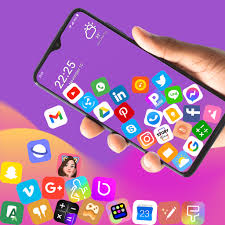
Have you ever looked at your phone’s home screen and thought it looked boring? Rolling icon apps for Android can make your phone more exciting. These apps let your app icons move, spin, or bounce. They make your home screen look lively and fun.
What Are Rolling Icon Apps?
Rolling icon apps are tools that let you change how your app icons look and move. Instead of plain, still icons, you can make them roll, spin, or bounce. Some apps let you use your own photos as icons or pick fun pictures from a library.
These apps can also work as live wallpapers or launchers. You can add small effects and decorations to your home screen. When you tilt or swipe your phone, the icons move like they have real physics, making it feel like your phone is alive.
Main Features of Rolling Icon Apps
Rolling icon apps have many features that make your phone fun and easy to use:
- Custom Icons: Change your normal icons with new ones from the app’s library or use your own pictures.
- Motion Effects: Make your icons roll, spin, or bounce. Some apps even make them respond to gravity or collisions.
- Tilt and Swipe Controls: Some apps let you control icons by tilting your phone or swiping your finger.
- Live Wallpapers and Launchers: Some apps keep your home screen animated even when you are not opening apps.
- Easy Customization: Change shapes, colors, and backgrounds to make your home screen look the way you want.
Popular Rolling Icon Apps
Here are some rolling icon apps you can try:
Rolling Icon – Icon Spinning
This app has many downloads and high ratings. It has a library of icons, rolling and spinning animations, and widgets. You can add fun effects to your home screen.
Rolling icons – App and Photo
This app lets you use gestures to control icons. Tilt your phone to make icons roll, collide, or create spark effects. It also works with launchers for easy customization.
Rolling Icon: 3D Wallpaper
This app is good for 3D or space effects. Icons float and move over space-themed backgrounds. It can make your home screen look like a small solar system.
Why Use Rolling Icon Apps?
Rolling icon apps have many benefits:
- Personal Touch: Make your phone reflect your style. Choose colors, shapes, and animations you like.
- Fun: Watching icons move can be entertaining.
- Interactive: Icons respond to your swipes and tilts, making your phone more lively.
- Unique Look: Your phone will stand out with animated icons.
Things to Keep in Mind
While rolling icon apps are fun, there are a few things to remember:
- Performance: Some apps may slow older phones because of animations.
- Battery: Live icons may use more battery than normal icons.
- Touch Control: Animated icons might sometimes make taps harder. Adjust settings to fix this.
How to Start Using Rolling Icon Apps
- Download the App: Find an app like “Rolling Icon – Icon Spinning” or “Rolling icons – App and Photo” in your app store.
- Install and Open: Follow the instructions to set it up. Some apps need permission to change icons.
- Pick Your Icons: Choose from the library or upload your own pictures. You can also change colors and backgrounds.
- Add Motion Effects: Set icons to roll, spin, or bounce. Tilt or swipe your phone to see them move.
- Personalize More: Add small decorations or widgets to make your screen unique.
Tips for Best Results
- Start Small: Try a few animated icons first.
- Use Shortcuts: Make favorite apps with rolling effects.
- Experiment: Try different colors, shapes, and movements.
- Adjust Settings: Change speed, size, and sensitivity for smooth animations.
Conclusion
Rolling icon apps make your Android phone more exciting. They let your icons move, spin, and bounce. You can use custom icons, live wallpapers, and small effects to make your home screen unique. Just keep an eye on battery and performance. With a little creativity, your phone can feel lively and fun every day.
About the Author




