
Transparent Apps: Make Your Phone See-Through and Fun
Have you ever wished your phone could look see-through? Or wanted to remove the background from a picture so it looks cool? That is exactly what transparent apps can do. In this post, we will explain what these apps are, how they work, the best ones to try, and how you can make your pictures transparent for projects or social media.
What Are Transparent Apps?
Transparent apps are apps that make your phone screen or pictures appear see-through. There are a few types:
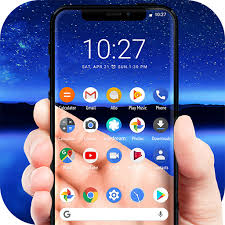
- Transparent screen apps – These use your phone’s back camera to show what is behind your phone on the screen. It looks like your phone is invisible.
- Image transparency apps – These remove the background from pictures or logos to create transparent images, usually in PNG format. You can use these images in presentations, posters, or online posts.
- Other transparent apps – Some apps help people understand hidden messages in media, while others, like language learning apps, help you learn new words and practice languages.
Transparent apps can be fun, creative, and helpful for learning.
How Do Transparent Screen Apps Work?
Transparent screen apps make your phone screen look like it is see-through by showing the live view from your phone’s back camera. When you open the app, your phone screen displays what is behind it. When you move the phone, the view changes in real time, making it seem like you can see right through it.
Some features of these apps include:
- Clear and smooth display – The camera image looks real and sharp.
- Live view – The screen updates instantly when you move your phone.
- Custom effects – Some apps let you add colors, patterns, or filters to make your screen more interesting.
These apps are most common on Android phones, but some also work on iOS.
Popular Transparent Screen Apps
- Transparent Wallpaper
- Uses your back camera to create a realistic see-through effect.
- Smooth performance and clear visuals.
- Perfect for fun or pranks.
- Live Wallpaper – Transparent
- Combines the camera view with custom backgrounds.
- Lets you add colors, patterns, or filters.
- Makes your phone look unique.
Using these apps is easy. Just install the app, allow camera access, and set it as your wallpaper. It can be a fun way to surprise friends.
Transparent Image Apps
You can also make photos and logos transparent. This is helpful if you want to:
- Make memes or fun images.
- Create posters or slides for school projects.
- Use logos in presentations or social media.
Transparent image apps remove the background from a picture and save it as a PNG, so the main object is isolated.
Popular Apps for Transparent Images
- FocoClipping – Free online tool that removes backgrounds using AI.
- Photoroom – App that creates professional-looking transparent images.
- Canva – Design tool with easy background removal for pictures and logos.
- Adobe Express – Simple tool for removing backgrounds from images.
- Remove.bg – Fast online tool that makes photos transparent.
- Unscreen – Removes backgrounds from videos, useful for presentations or videos.
How to Make a Photo Transparent
- Open your chosen app or website.
- Upload the image you want to make transparent.
- Use the tool to remove the background.
- Save the image as a PNG file.
Now your image is ready to use in posters, slides, or social media posts.
Other Uses of Transparent Apps
Transparent apps are not just for fun. Some can help with learning and understanding media:
- Transparent app for iOS – Helps users spot hidden messages in news, social media, and other media.
- Transparent Language Online – Mobile app for learning new languages with lessons and quizzes.
These apps show that transparency can also mean understanding clearly and learning new things.
Why Kids and Teens Like Transparent Apps
Kids and teens enjoy transparent apps because:
- They make phones look see-through and fun.
- They help create memes, posters, or school projects.
- Some apps teach thinking skills or languages.
- They are easy to use and quick to install.
Transparent apps are not only entertaining—they can help you create, learn, and share ideas.
Tips for Using Transparent Apps Safely
Even though transparent apps are safe, it’s important to follow some tips:
- Only allow camera access if needed.
- Avoid sharing personal photos online without checking privacy settings.
- Download apps only from official stores.
- Limit long-term use of live wallpapers, as they can drain battery.
Conclusion
Transparent apps are fun, creative, and helpful. You can make your phone look see-through, remove backgrounds from images, and even learn new skills. Try transparent wallpaper apps for your phone or image apps to make transparent pictures. You will see how easy and enjoyable it is.
About the Author




