
Best Mobile Notification Light Apps for Android in 2025
Have you ever missed a call or a message because your phone didn’t ring or light up? It can be frustrating when you are waiting for something important. If your phone doesn’t have a built-in LED light, a mobile notification light app can help. These apps make your phone flash or show colors whenever you get notifications so that you don’t miss anything.
In this guide, we will talk about some of the best LED notification apps for Android, how they work, and why they can be useful.
What Are Mobile Notification Light Apps?
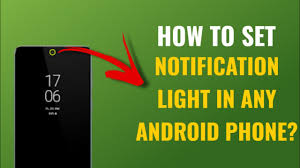
Mobile notification light apps are apps that make your phone flash or light up when you get messages, calls, or other alerts. Many new Android phones don’t come with a notification LED, so these apps help fill that gap.
You can see these lights in different ways:
- Around the camera hole on the screen
- On the edges of the screen
- Near the status bar
- Using different colors or blinking patterns
These lights help you notice notifications without turning on the full screen, which also saves battery.
Why You Might Need a Notification Light App
- Never Miss Messages or Calls – Your phone can alert you even if it is in your bag or pocket.
- Set Different Colors for Apps – You can assign a color for WhatsApp, emails, or calls so you know what type of alert it is.
- Save Battery – Using LED lights uses much less power than turning on the whole screen.
- Make Notifications Fun – Some apps let you choose animations and patterns for a more interesting look.
Best Mobile Notification Light Apps for Android
Here are some of the top apps you can use in 2025:
1. NotifyBuddy
NotifyBuddy is a popular app for phones running Android 9.0 and above. It works well on phones that do not have a built-in LED light.
Features:
- Change LED colors, icons, and animation
- Adjust the size and position of the light
- Select which apps can show notifications
- Includes a charging indicator
This app is simple and looks natural on your phone screen.
2. Notification LED
Notification LED gives you full control over notifications. You can customize colors, blinking patterns, and brightness.
Features:
- Assign different colors for each app
- Choose blinking patterns
- Control brightness of the light
- Designed to save battery
This app is good for people who want to control how every notification looks.
3. aodNotify
aodNotify shows LED notifications around the camera hole, screen edges, or status bar. It is especially useful for modern phones without a traditional LED.
Features:
- LED notifications around the screen edges or camera hole
- Battery-saving options
- Set different colors for different apps
This app looks modern and works well without draining the battery.
4. LED Blinker Notifications Lite
LED Blinker Notifications Lite works on almost all Android phones, including older models. It gives you many options for notifications.
Features:
- Use LED or screen LED for notifications
- Set custom colors for apps or contacts
- Smart floating notifications for better visibility
- Works on all Android versions
If you want a free app that works on any phone, this is a good choice.
5. Flash Alerts on Calls and SMS
Flash Alerts is a simple app for calls and messages. It uses your phone’s LED or flash to notify you.
Features:
- Flash light or screen LED for notifications
- Different colors and patterns for calls and messages
- Easy to use
This app is best if you want a simple way to get notifications.
How to Choose the Right App
Here are some tips for picking the best notification light app:
- Check Your Android Version – Some apps only work on Android 9.0 or higher.
- Decide What Features You Need – Do you want basic LED lights or extra options like animations and edge lighting?
- Battery Usage – Choose apps that have battery-saving options.
- Read Reviews – Find out what other users think about the app.
- Check Customization Options – Make sure the app lets you choose colors, blink speed, and position.
Tips for Using Notification Light Apps
- Use Different Colors – Red for urgent messages, green for normal alerts.
- Save Battery – Turn on battery-saving options for apps that run all the time.
- Select Only Important Apps – Don’t use LED notifications for every app; pick calls, messages, and key social apps.
- Adjust Brightness – Some apps allow you to make the light dimmer at night.
Safety and Compatibility
- Download apps only from trusted sources like the official app store.
- Check user ratings and recent updates.
- Make sure the app works with your phone and Android version.
Conclusion
Mobile notification light apps are an easy way to make your phone more useful. They help you never miss calls or messages, even if your phone is on silent or in your bag.
Here’s a quick summary:
- NotifyBuddy – Best for full customization
- Notification LED – Best for controlling colors and blink patterns
- aodNotify – Best for edge lighting and modern phones
- LED Blinker Notifications Lite – Works on all phones
- Flash Alerts – Simple and reliable for calls and messages
These apps can make your phone more helpful and fun to use. Try one today and see the difference in how you get notifications.
About the Author




