
Live Time Password Lock Screen: A Simple Way to Protect Your Android Phone
Our phones hold many personal things today, like photos, chats, school work, and private notes. Because of this, keeping a phone safe matters. One Android app that helps with phone safety is called Live Time Password Lock Screen. It uses the current time on your phone as the password, and the code changes every minute. This makes it harder for anyone else to open your device.
This post explains what the app does, how it works, and why many people like it.
What Is Live Time Password Lock Screen?
This app replaces a normal PIN with a password based on the time shown on your phone. The password updates each minute.
For example:
- If the time is 08:12, the password is 0812
- One minute later, the time is 08:13, so the password becomes 0813
You do not need to remember anything new. You just look at the time.
Why a Time-Based Password Helps
Here are a few clear reasons people like this:
1. The password changes every minute
No one can guess a code that keeps changing.
2. Easy to use
You only need to check the time. There is nothing extra to memorize.
3. Hard for others to copy
If someone watches you enter the code once, it will not work later.
4. You can add your own PIN
If you want extra safety, you can add a short number before or after the time.
Example:
Your PIN: 44
Time: 09:51
Your code can be 440951 or 095144, depending on your choice.
Main Features
The app includes several helpful tools:
Break-In Alerts
If someone tries to open your phone without your permission, the app can take a photo with the front camera and show you a warning.
Fingerprint Support
If your device has a fingerprint reader, you can still use it to open your phone quickly.
Reverse Time Mode
This mode lets you type the time backwards.
Example:
Time: 07:20
Normal code: 0720
Reverse code: 0270
Custom Backgrounds
You can choose your own lock screen background to match your style.
Sound and Vibration Settings
You can turn on sounds or small vibrations when you open your phone.
12-Hour or 24-Hour Clock
You can pick the time format you prefer.
Emergency Unlock
If something goes wrong and you cannot get in, you can use the volume button in a special way to open your phone.
Works on Many Android Phones
The app runs well on most Android devices, even older models.
How the App Helps Keep Your Phone Safe
A changing password makes it much harder for others to open your phone. It also stops people from copying your code by watching you type it. When you add other tools like your own PIN, fingerprint use, reverse mode, and break-in alerts, your device gains several layers of safety. This gives many users peace of mind.
Who This App Is Good For
This app is useful for:
- Students
- Parents
- People who travel
- Workers who bring their phone everywhere
- Anyone who wants simple but strong phone protection
It is easy to use and gives steady safety without extra stress.
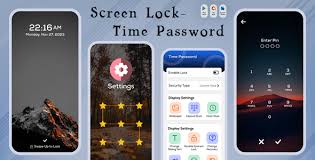
How to Set It Up
- Install the app on your Android phone.
- Open it and allow the permissions it needs.
- Choose the time password option.
- Decide if you want time only, time plus your own PIN, or reverse time.
- Pick the 12-hour or 24-hour format.
- Set your background, sound, or vibration choices.
- Turn on break-in alerts if you want them.
- Lock your phone and try it out.
Your password will now change every minute.
Pros and Cons
Pros
- Password changes all the time
- Easy to use
- Extra safety with your own PIN
- Fingerprint support
- Break-in alerts
- Custom background options
- Works on many Android phones
Cons
- May feel new at first
- If your clock is wrong, the code may not match
- Needs certain permissions
Final Thoughts
Live Time Password Lock Screen gives Android users a simple and steady way to protect their phones. Using the time as a password keeps the code fresh and hard to guess. When paired with fingerprint support, break-in alerts, and custom settings, it offers solid phone safety for anyone who wants more control over their privacy.
About the Author




