
Bring Back the Classic Nokia 1280 on Your Android Phone
Do you remember the old Nokia 1280? That small phone with a black-and-white screen, long battery life, and the famous T9 keypad? It was easy to use, reliable, and many people loved it.
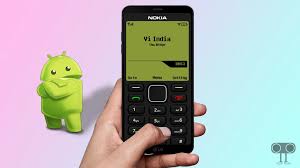
Now, you can get that same feeling on your Android phone with the Nokia 1280 Launcher. This app changes your modern smartphone so it looks and feels like the old Nokia 1280. You can use classic menus, pixel-style icons, and old ringtones while still enjoying modern Android features.
This post will explain what the launcher does, its main features, how to install it, and why many people enjoy using it.
What is the Nokia 1280 Launcher?
The Nokia 1280 Launcher is an app for Android devices. Its main job is to make your phone look like a classic Nokia 1280. It brings back the T9 keypad, black-and-white menus, retro icons, and Nokia ringtones.
Even though it looks old, the launcher does not remove Android features. You can still access messages, notifications, and all your apps. This app is perfect for anyone who likes simple phone designs or wants a break from modern, complicated layouts.
Key Features of the Nokia 1280 Launcher
Here are the main features that make this launcher fun to use:
- T9 Keypad for Dialing
- Type letters and numbers like the old Nokia phones.
- Dial numbers directly from your home screen with the T9 keyboard.
- Black-and-White Menus and Pixel Graphics
- The launcher shows menus in black-and-white.
- Pixel-style icons give your phone a classic retro look.
- Classic Wallpapers and Ringtones
- Choose from vintage wallpapers and old Nokia ringtones.
- Personalize your phone to make it feel like your old device.
- Smooth and Fast Performance
- The app works quickly without slowing down your phone.
- Switching between apps is smooth and easy.
- Easy to Switch Back
- If you want your normal Android layout, long-press the end call button to return to your original launcher.
- Access to Android Features
- Even with the retro look, you can still open your apps, read messages, and check notifications.
- Works on most Android phones and tablets.
Why People Like the Nokia 1280 Launcher
Many people enjoy this launcher because it is simple, fun, and nostalgic. Here are some reasons it is popular:
- Retro Feeling: It brings back memories of using phones in the early 2000s.
- Simple to Use: The menus are easy to understand, perfect for kids, students, and adults.
- Classic Sounds: Enjoy the old Nokia ringtones and typing sounds.
- Lightweight: It does not slow down your phone like some modern launchers.
The launcher is rated around 4 out of 5 stars by users. It is free and easy to download.
How to Install the Nokia 1280 Launcher
Installing the launcher is easy. Follow these steps:
- Allow Unknown Sources
- Go to Settings > Security or Privacy on your phone.
- Turn on allow installation from unknown sources.
- Download the APK
- Download the Nokia 1280 Launcher APK from a trusted website.
- Make sure it is the correct version for your phone.
- Install the App
- Open the downloaded file and follow the instructions to install.
- Set as Default Launcher
- Go to Settings > Apps > Default Apps > Home.
- Select Nokia 1280 Launcher as your default.
- Switch Back if Needed
- Long-press the end call button to return to your previous launcher.
After installing, your phone will have the classic look and feel of a Nokia 1280, including menus, icons, and sounds.
Who Can Use the Nokia 1280 Launcher?
This launcher works on most Android phones and tablets. While it does not have advanced customization options, it is perfect for:
- People who miss their old Nokia phones.
- Kids or teens who want a fun and simple interface.
- Adults who prefer easy-to-use phone layouts.
- Anyone looking for a lightweight launcher that does not slow down the device.
Tips for Enjoying the Nokia 1280 Launcher
- Practice the T9 Keyboard
- Typing is different from modern keyboards. It gets easier with practice.
- Use Classic Ringtones
- Set old Nokia sounds for calls and notifications to make it more fun.
- Keep Your Original Launcher
- Remember you can switch back by long-pressing the end call button.
- Try Different Wallpapers
- Use the built-in vintage wallpapers or add your own.
- Share with Friends
- Let friends try your retro phone look. It can be fun for everyone.
Conclusion
The Nokia 1280 Launcher is a fun way to bring back the old Nokia experience on modern Android phones. It has T9 keypad, black-and-white menus, retro wallpapers, and classic ringtones, giving a nostalgic feel while still letting you use apps and messages.
About the Author




