
How AI Can Turn Long Videos Into Short Clips for Social Media
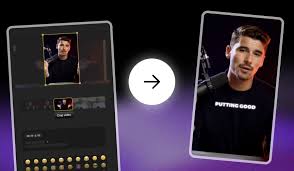
Making short videos for platforms like TikTok, YouTube Shorts, or Instagram Reels used to take a lot of time. You had to watch the entire video, find the best parts, cut them by hand, add text, and make sure the size fit each platform. Now, AI tools can do all of this in just a few seconds. One long video can become many short clips ready to share.
This article explains how these tools work, why they are helpful, and which options are popular today.
What Are AI Video Clip Tools?
AI video clip tools are apps or websites that take long videos and turn them into short, shareable clips. The tool “watches” your video and looks for interesting, funny, or important moments. Then it cuts the video, adds captions, and formats it for social media.
These tools notice things like:
- Clear talking
- Exciting moments
- Fast movement or camera changes
- Jokes or surprises
- Key messages in the video
After this, the tools give you short videos that are ready to post online.
Why Short Clips Are Popular
Short videos are very popular because people scroll quickly on social media. Quick videos grab attention and are easier to watch than long ones. Short clips are useful for:
- Tips and advice
- Jokes or funny moments
- Daily stories
- School projects
- Travel or adventure clips
- Product demonstrations
- Training or lesson highlights
With AI tools, one long video can create many short clips without spending hours editing.
How AI Turns Long Videos Into Short Ones
Most AI tools work in four simple steps:
Step 1: Upload Your Video
You can upload a file from your computer or paste a video link. The tool reads the video and starts analyzing it.
Step 2: Choose Clip Length
Decide how long you want each clip to be. Some options are:
- 10 seconds
- 20 seconds
- 30 seconds
- 60 seconds
Many tools also let you create several clips at once.
Step 3: AI Creates Clips Automatically
The tool finds the most interesting parts and cuts the video. It can also add captions, adjust the size, and make the clips ready for social media. Some tools allow you to add music, text styles, borders, or simple effects.
Step 4: Download or Share
Once the clips are ready, you can download them or post directly to TikTok, YouTube Shorts, or Instagram Reels. Some tools even let you schedule your posts.
Popular AI Tools
Here are some well-known options for turning long videos into short clips:
CapCut – Easy to use and has one-click features to pick the best moments. It supports multiple languages and works well for beginners.
Short AI – Finds highlight moments and adds captions and styles quickly. Good for fast results.
Veed.io – Works in a browser, trims videos, adds captions, and formats clips for social media.
Vmaker – Turns long videos into short clips automatically. Often used by teachers, coaches, and small businesses.
OpusClip – Finds the strongest lines and makes short clips with captions. Popular with YouTubers and podcasters.
Canva – Allows simple edits, text, and design for short clips from longer videos.
QuickReel – Detects important moments and produces clips ready for posting.
Klap – Creates multiple clips at once from key parts of a video.
Descript Clips – Lets you edit videos using text and produces short clips with auto-captions.
Why These Tools Are Helpful
AI video clip tools are useful because they:
- Save time – Editing a long video manually can take hours. AI does it in seconds.
- Help post more often – One video can become many clips.
- Get more views – Short videos are easier to watch and share.
- Fit every platform – Tools resize clips for TikTok, Instagram, or YouTube automatically.
- Add captions automatically – Helps viewers watch without sound.
- Work for beginners – No advanced editing skills needed.
- Support many users – Useful for students, teachers, businesses, content creators, podcasters, and vloggers.
Features You Can Expect
Most AI video tools include:
- Scene detection to find important parts
- Automatic captions
- Text style options
- Trimming tools
- Templates for layout and design
- Music or sound effects
- Direct posting to social platforms
- Multi-clip creation from one long video
These features make editing much faster and simpler.
Tips for Best Results
Here are some easy ways to get better clips:
- Use clear video and sound – The AI works best with high-quality footage.
- Pick the right clip length – Short clips (10–20 seconds) work for quick tips or jokes; longer clips (40–60 seconds) work for lessons or explanations.
- Add captions – Many viewers watch videos without sound.
- Include your name or logo – Helps people remember you.
- Check clips once – AI is fast but reviewing clips ensures everything looks good.
- Post consistently – More clips help grow your audience.
How Students and Teachers Can Use These Tools
Students can turn long school projects, presentations, or speeches into short clips for sharing in class. Teachers can create short lesson highlights or recap videos for homework and study. Examples:
- A student speech turned into 3–5 short clips
- A science experiment broken into quick steps
- Sports highlights from a full game
How Businesses Can Use These Tools
Businesses can turn long videos into short clips for:
- Product demonstrations
- Customer stories
- Training videos
- Announcements or ads
- Behind-the-scenes content
Short videos can reach more people quickly and keep messages clear.
Why AI Video Tools Are Popular
These tools are popular because they:
- Work fast
- Are easy to use
- Give clean and ready-to-post results
- Help users stay active online
- Support people of all skill levels
Even beginners can create professional-looking clips with very little effort.
Conclusion
Turning long videos into short clips no longer takes hours of work. AI tools can cut, caption, and resize videos automatically. They are useful for students, teachers, content creators, and businesses. With one long video, you can create many short clips ready to post. This makes sharing content online faster, simpler, and more effective.
About the Author




